My "tech" stack
25 January 2026
I love these posts, stumbling onto someone I admire’s personal blog and finding a list of the tech they use is nice. It pointlessly interests me. It’s useless guff that might make me feel a way or might make me feel nothing, but there’s a joy in just the basics of seeing through someone else’s experience via the way they choose to work.
Most recently it was Louis Pilfold, the creator of Gleam, and to read the last time he wrote one in December 2024 he was still using an old 2020 MacBook Air with 16GB of RAM made me feel a little less bad about my computer habits.
Over the last year I’ve come to the realisation that not only am I fine with not having the latest and dealing with a bit of jank, I also don’t plan on ever buying new computers again. In the same way that my brother likes buying old beat up cars that only just work and putting enough work into them to make them sing, I want to be the type of person that does the same with computers.
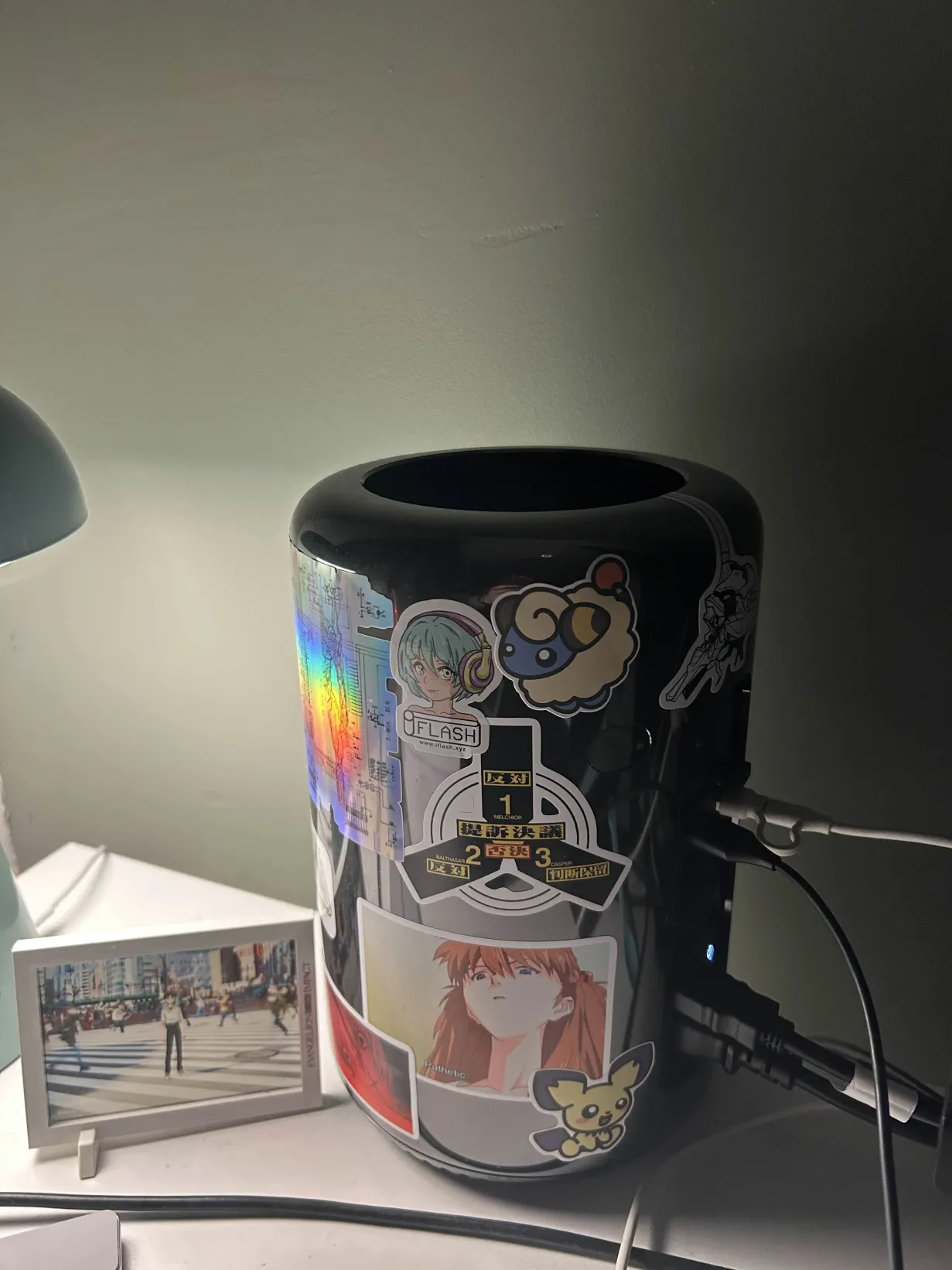
2013 Trash Can Mac Pro
So earlier this year I acquired a 2013 Mac Pro, it has 32GB of RAM, an old Xeon chip, 3.7GHz quad core, and some custom made (as in for the computer, not for me) AMD D300 graphics cards. That’s right, dual graphics cards, still waiting on that little feature becoming useful. I bought it for 130 GBP, which is a pretty sad depreciation in value considering how much these used to cost. The thing has been worth every penny and more.
Not only did it give me a project to work on, it also gave me a computer worthy of Linux. The difficulty in getting the right setup to get the wifi, graphics cards, fans, peripherals all working correctly took a gargantuan amount of effort, but was so incredibly satisfying when I finally settled on my final pick. Gentoo runs beautifully on it. Having an operating system specced for my specific hardware and being able to customise to the nth degree is hugely gratifying.
There is no longer much change to the software but I still find it to be the computer I most enjoy using. Switching to primarily using Linux over the last year was a lot more straight forward than I first imagined and now I am invested in the ecosystem and philosophy I can’t see myself ever returning to proprietary operating systems by choice. I still have a MacBook Pro 2019 as a fallback which I mostly use for non-programming related use, or just chilling in bed but having that backup means I don’t think I’ll be upgrading any time soon.
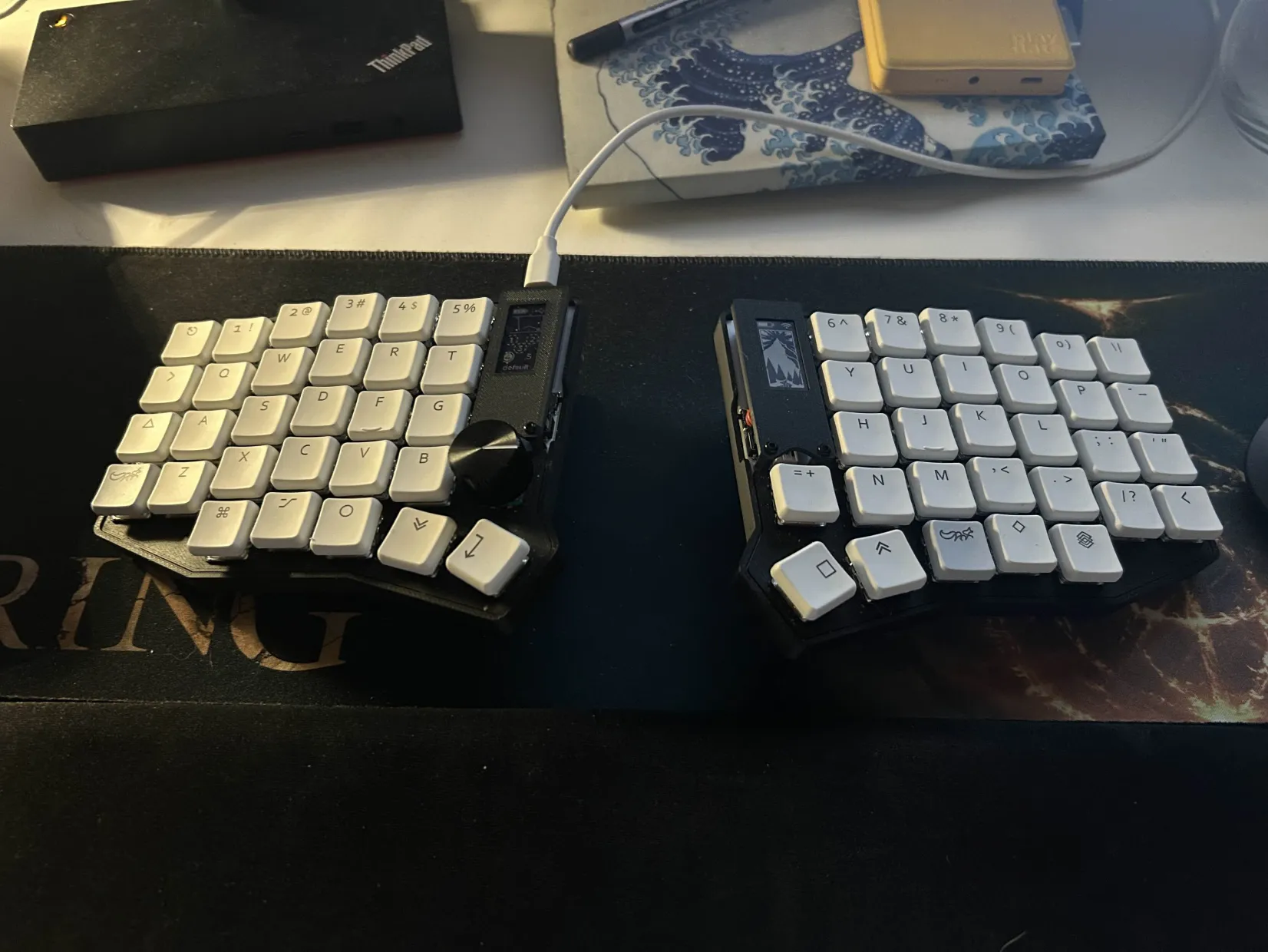
Sofle v2 split keyboard with choc switches
With all my computers, including my work laptop I’m using a custom made Sofle 59-key from KeyboardHoarders in the US. It has low profile brown choc switches, with some white keycaps I bought from Aliexpress. It’s my second Sofle keyboard, and since buying it around two thirds of the way through the year I’ve not considered any alternative. It’s mostly to help with dodgy finger joints and wrist pain but it’s also just been a pretty great typing experience.
My typing speed is generally horrendous but it’s not something I’ve ever worried about, and with the Sofle especially it’s 100% more about do my hands hurt more or less after a day’s work, in which case it’s doing the job nicely.
Software
Most of the software I use these days is made pretty obvious by the configuration repos I choose to scatter all over my GitHub. Unlike most who keep a dotfiles repo, I like to individually make a repo for each tool I’m using. As such you can find things like my Sway configuration on GitHub. My fuzzel configuration as well. I wouldn’t really consider these to be pieces of software I use though. They exist, and they do a specific job well enough but they are nothing to write home about.
Helix modal text editor
The main thing that I started using this year that has changed my workflow most, is Helix, a modal text editor written in Rust, with a minimal configuration, and a very interesting core set of functionality. Due to its current lack of plugin system as well as it being very much a batteries included editor it has made me more productive than any editor before it. This is not through incredible shortcuts, snazzy UI, or the latest features in modal text editing. It’s literally just the lack of customisation and sane defaults. I don’t agonise over things I cannot change, and for the most part every aspect of it is smart and well thought out.
That being said I did end up creating two custom themes for it which can be found pinned on my GitHub profile named Ghostty-Automata.
Ghostty & Wezterm
I don’t think I need to say much about Ghostty, not only is it my terminal of choice, it’s also my community of choice, the Discord server is one of the few places on the internet I feel I am among friends. Uzair specifically is responsible for that but even before we became close it was already an interesting fun place to be and to chat. The terminal emulator though is a sight to behold. It is powerful, beautiful, well designed, fast as hell, and a general all round powerhouse of a terminal emulator. However it is not yet available on Windows, so for my work, I use Wezterm, another thoroughly competent, well designed terminal emulator with only a tiny bit more to be desired in terms of the command palette and supported image protocols.
Year of the fish
Fish shell has become my favourite shell environment, I probably don’t use the features as deeply as I should, but from a scripting language and customisation standpoint it ticks all the boxes, and over the last year I’ve been building a curated list of useful commands that come with me where ever I go, no matter the platform.
Gentoo
I mentioned it before in my mac pro gush, but I need to mention it again, as its a fascinating concept and something I have wanted to attempt for years. Gentoo is the ultimate linux distribution, for one simple reason, the package manager. I mean, this is often the selling point of Linux distributions, you pick somewhat based on the init system, somewhat on the installation process, and somewhat on the maintainence of the project. Lots of people turn to Arch or Nix for their repositories and Nix specifically for its declarative system. People turn to Debian and Ubuntu due to their stability. I think we all have our reasons for where we land but my reason for landing on Gentoo in my mind is fundamentally good for any use case.
Gentoo is a compiled OS, you compile the kernel if you wish, but not only that, you compile all the software, you also specify your uses, what your processor architecture is, what features it supports, what graphics drivers your machine supports, what you generally use your software for and much much more. By doing so you strip away the chaff from the software you use. You can guarantee that not only is the software you use compiled specifically for your computer and setup, but it will also be more lightweight due to not needing all the portability guff that is included in the binaries of most software.
Not only has this meant I can squeeze the most out of the old ass mac pro, but it also means you could also be leveraging the hardware you have to the absolute max of its capabilities. I’m definitely not saying Gentoo is the right choice for everyone but for me the benefits it brings outweigh the cost of setup up and maintaining packages.
That concludes my 2025 roundup (Extemely late), hope you’ve enjoyed and look forward to doing the next one.